
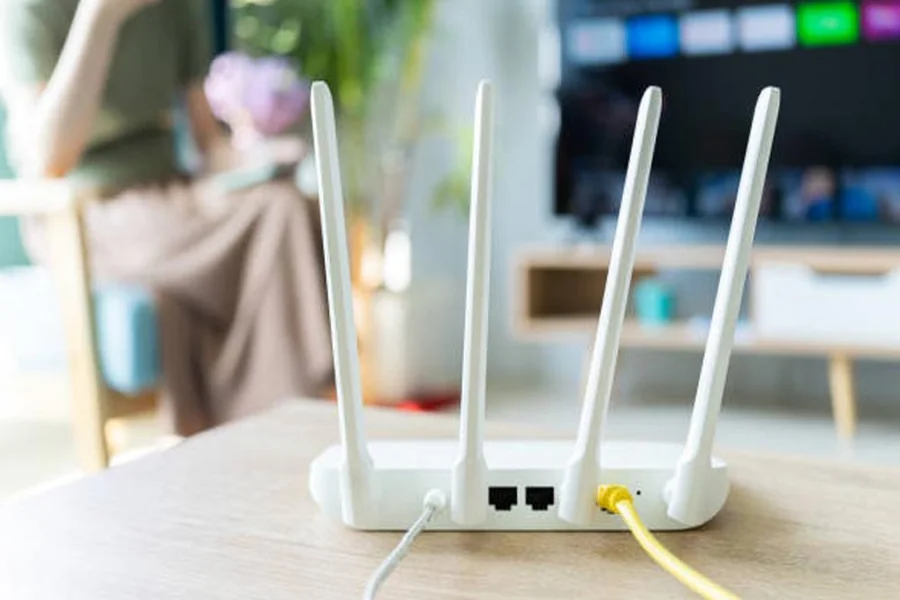
You know that annoying moment when you’re trying to watch a video or join a Zoom call, and your WiFi suddenly decides to disappear the second you step into another room? Or how about when your favorite cozy reading nook in the backyard has zero signal? We’ve all been there.
Traditional routers are kind of like those old-school speakers that blast sound in one direction. They work fine if you’re close, but once you move away, things start falling apart. That’s where mesh WiFi systems come to the rescue.
Mesh networks act more like a team of mini routers working together to spread strong, consistent coverage throughout your home — even in those tricky corners and outdoor spots. And if you’re browsing options from an internet provider Boulder residents trust, combining a good internet plan with a mesh system can completely transform your online experience.
If you’re ready to finally say goodbye to WiFi dead zones, here’s how to set up your mesh network step by step without the headache.
Pick the Right Mesh System
Before you start plugging anything in, you need to pick the right mesh WiFi system for your home. Think about the size of your space and the areas where you need the most coverage.
Some systems come with two or three nodes, while others let you add as many as you want. If you have a bigger home or want to cover outdoor areas like the patio or garage, it might be worth starting with more nodes.
Make sure the system supports the internet speeds you’re paying for. There’s no point in having a high-speed plan from your internet provider Boulder offers if your mesh system can’t keep up.
Find the Best Spot for Your Main Router
The main node (or base unit) connects directly to your modem. This node is basically the “brain” of your mesh network.
Place it in a central, open area if possible. Avoid shoving it in a cabinet or tucking it behind the TV stand. Think of it like a lighthouse — it needs a clear path to shine signals out to the rest of your home.
Spread Out the Nodes
After you’ve set up the main node, it’s time to place the others. The goal here is to create a smooth handoff of the WiFi signal as you move around.
Start by placing the second node halfway between the main router and the farthest room where you need coverage. If you have more nodes, keep spacing them out in a similar way, making sure each one is close enough to pick up a strong signal from the previous one.
If possible, keep nodes out in the open and off the floor. Shelves, side tables, or counters work well.
Plug In and Power Up
Once you’ve picked the spots, plug each node into a power outlet. Most mesh systems have lights that let you know when they’re connected properly.
Follow the instructions in the system’s app — almost all mesh systems come with a dedicated app that makes setup pretty simple. The app will guide you through naming your network, setting a password, and checking each node’s connection strength.
Test Your Coverage
Now for the fun part: walking around your home and testing your new supercharged WiFi. Use your phone or laptop to see if there are any remaining dead zones.
If you notice any weak spots, you can move nodes around or add an extra one if needed. Most apps also have built-in tools to show signal strength and suggest better node placement.
Secure Your Network
After everything is up and running, don’t forget about security. Change the default network name and create a strong password that isn’t easy to guess.
Enable automatic firmware updates if your system supports it. This will keep your mesh network secure and improve performance over time.
Set Up Guest Access
One of the perks of mesh systems is how easy it is to create a guest network. This keeps your main network safe and prevents guests from accidentally accessing your personal devices.
You can usually set this up in the app and even limit how much bandwidth your guests can use. That way, you won’t have to worry about someone tanking your connection during a movie marathon.
Enjoy Seamless WiFi Everywhere
Once you’re done, get ready to enjoy your home in a whole new way. Watch shows on the porch, take video calls in the kitchen, or game in the basement without worrying about losing connection.
Pairing a reliable mesh system with a strong plan from an internet provider Boulder homeowners love means smoother streaming, faster downloads, and way fewer headaches.
Final Thoughts
Setting up a mesh network might sound complicated at first, but it’s really just about planning your space and following a few simple steps. Once it’s up, you’ll probably wonder how you ever lived without it.
So if you’re tired of sitting in that one “magic” spot where the WiFi actually works, it might be time to make the switch. With a mesh network, your entire home — and even your outdoor spaces — can finally get the strong, steady internet they deserve.
